
Introducing the new Rezilient Health mobile app
January 28, 2026

Everything you need for care, right in your pocket.
Managing your healthcare should feel simple, not stressful. That’s why Rezilient Health launched a new mobile app designed to make it easier to sign up, schedule care, and stay connected with your care team.
If you’re new to Rezilient or already have an account, here’s how to get started and what you can do once you’re in.
How to register for Rezilient using the mobile app
Getting started takes just a few minutes. You can download the Rezilient Health app from the App Store or Google Play and follow the steps below.
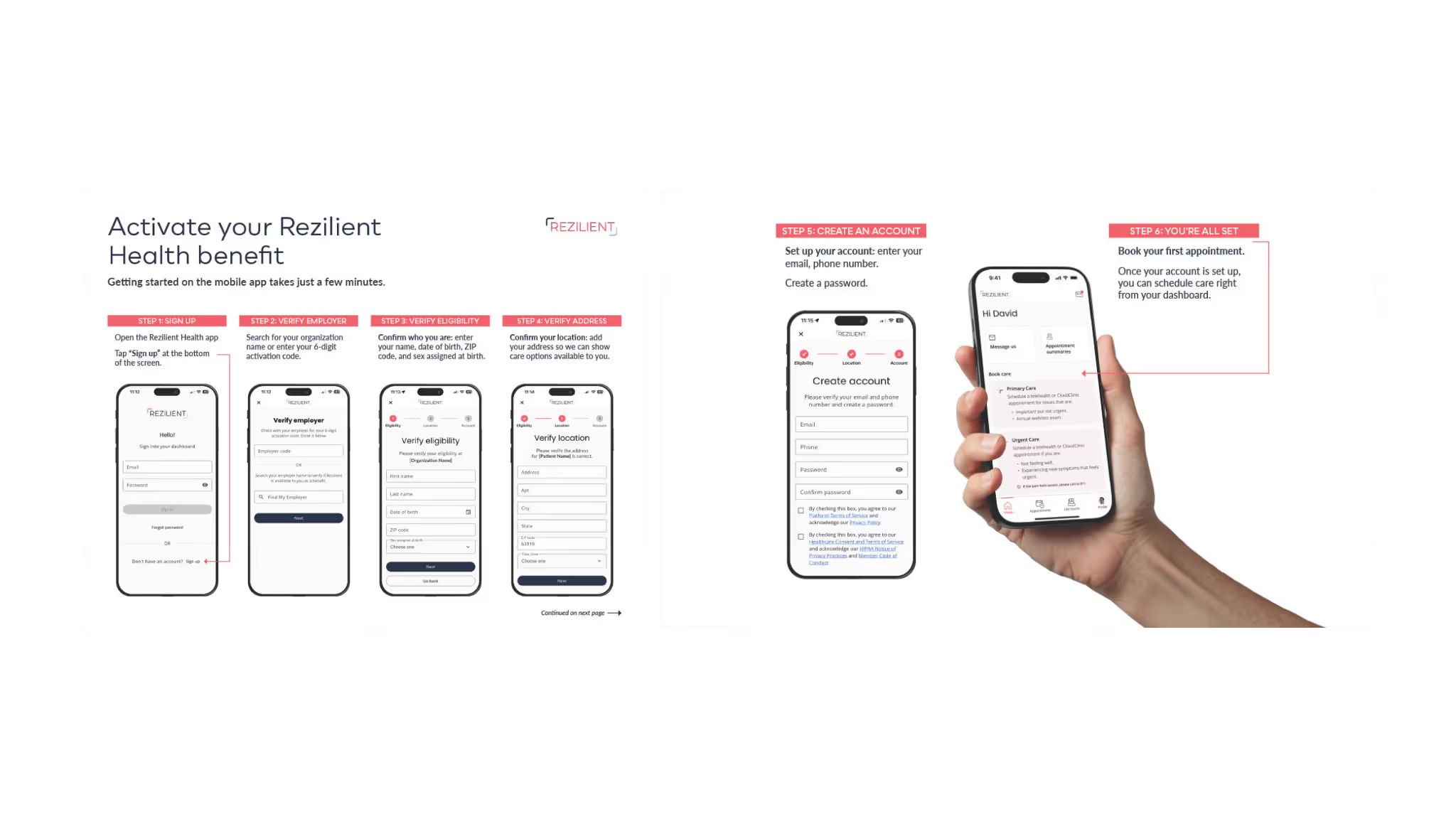
Step 1: Sign up
Open the Rezilient Health app and tap “Sign up” at the bottom of the screen.
Step 2: Verify your employer
Search for your organization by name or enter your 6-digit activation code. This connects you to the Rezilient benefit provided by your employer.
Step 3: Verify your eligibility
Confirm who you are by entering your name, date of birth, ZIP code, and sex assigned at birth.
Step 4: Add your address
Adding your address helps us show care options available near you, including CloudClinic locations.
Step 5: Create your account
Enter your email and phone number, then create a password.
Step 6: You’re all set
Once your account is created, you can book care and manage everything right from your dashboard.
If you need help at any point, our support team is available at members@rezilienthealth.com.
What you can do once you’re in the app
Once you’re logged in, the app becomes your home base for care. Here’s what patients use most.
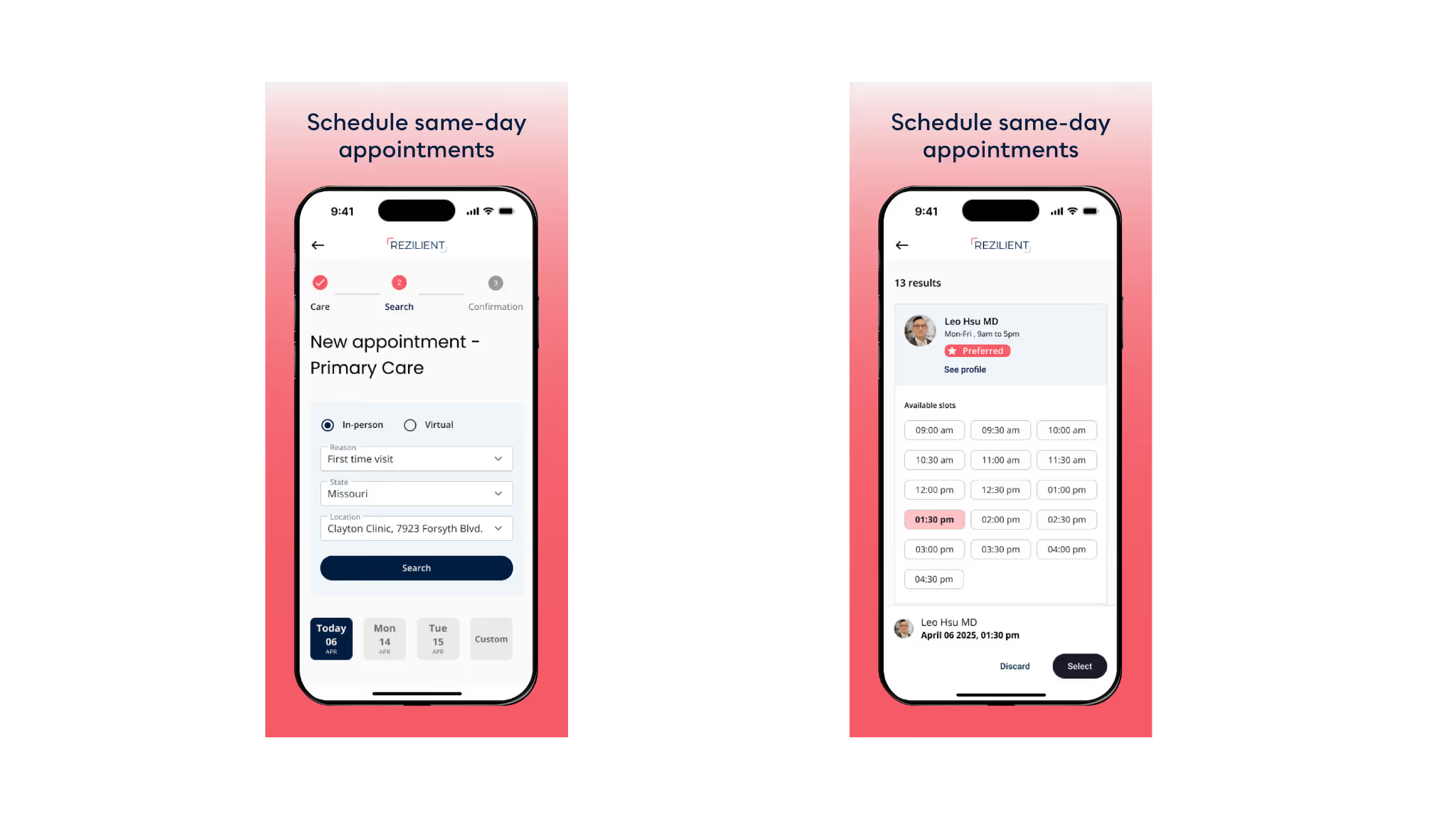
Book same-day in-person or virtual appointments
Whether you need primary care, urgent care, or a follow-up visit, you can schedule directly in the app. Many appointments are available the same day, both in person at a CloudClinic or virtually from home.
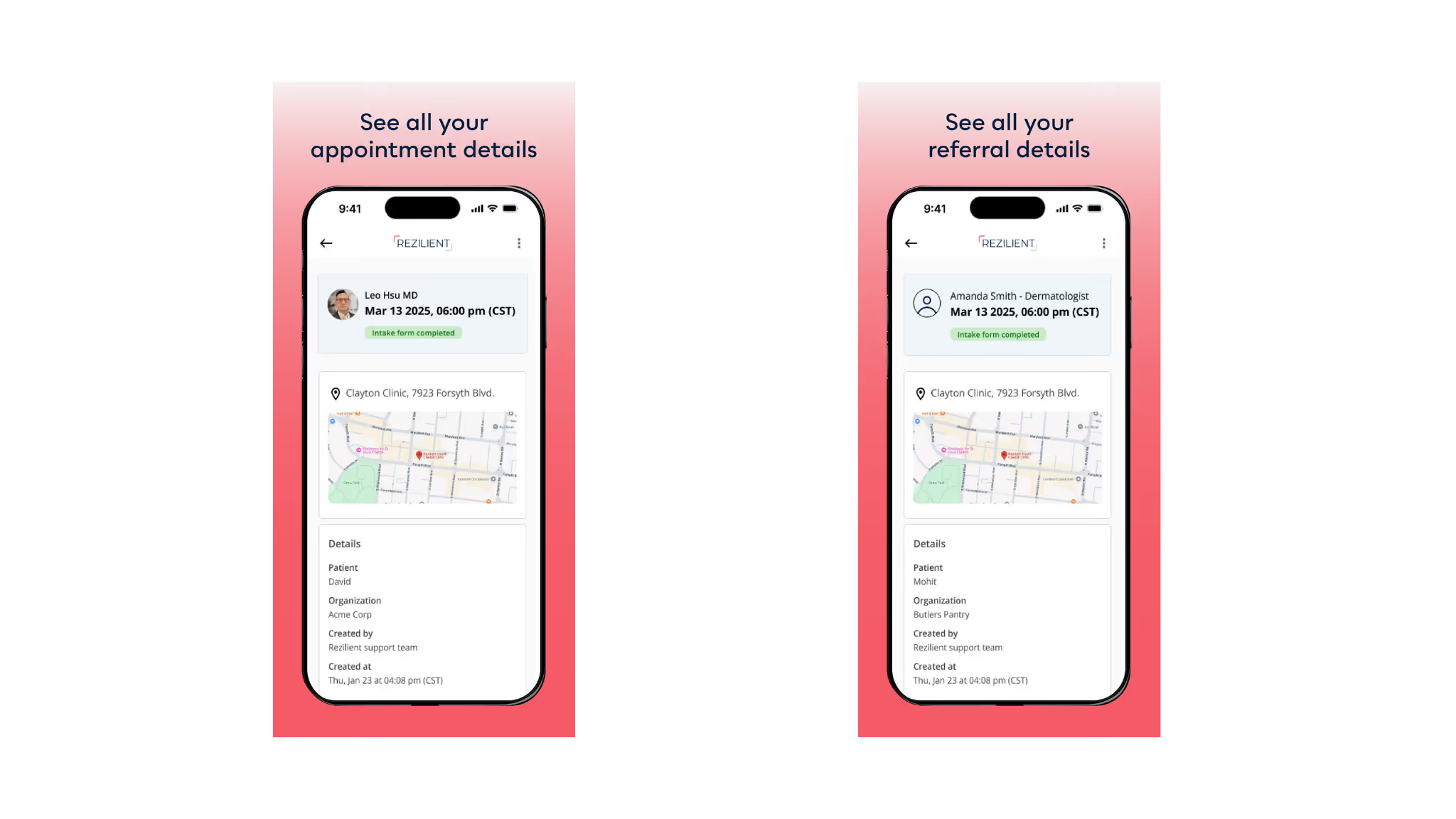
See upcoming visit details in one place
The app keeps all your upcoming appointments organized. You can quickly check the date, time, provider, and location of your appointment, and see whether your intake form is complete.

View appointment summaries and referral details
After a visit, you can review appointment summaries and referral information right in the app. No digging through emails or paperwork.
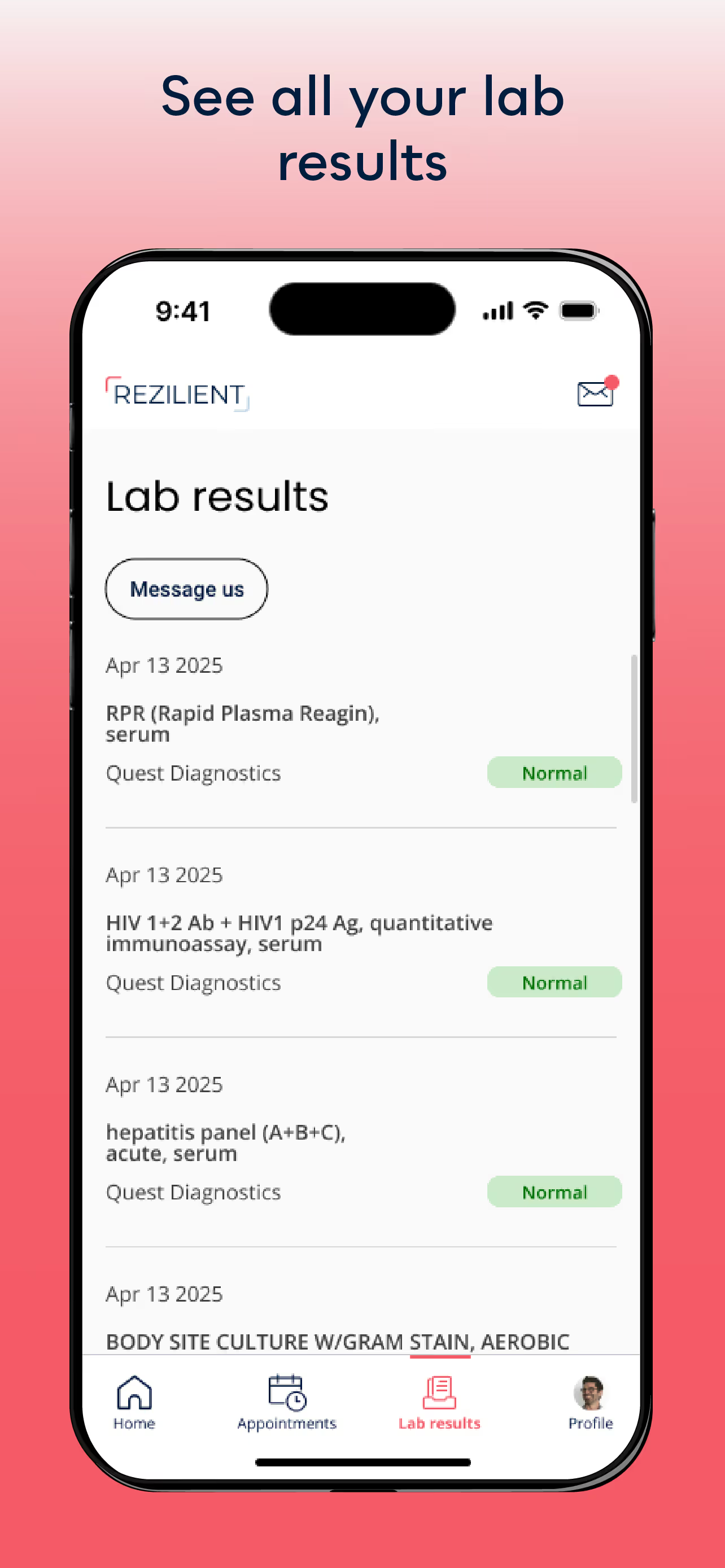
Access lab results as soon as they’re ready
Lab results are posted directly in the app, with clear status labels so you know when results are available and whether they’re normal.
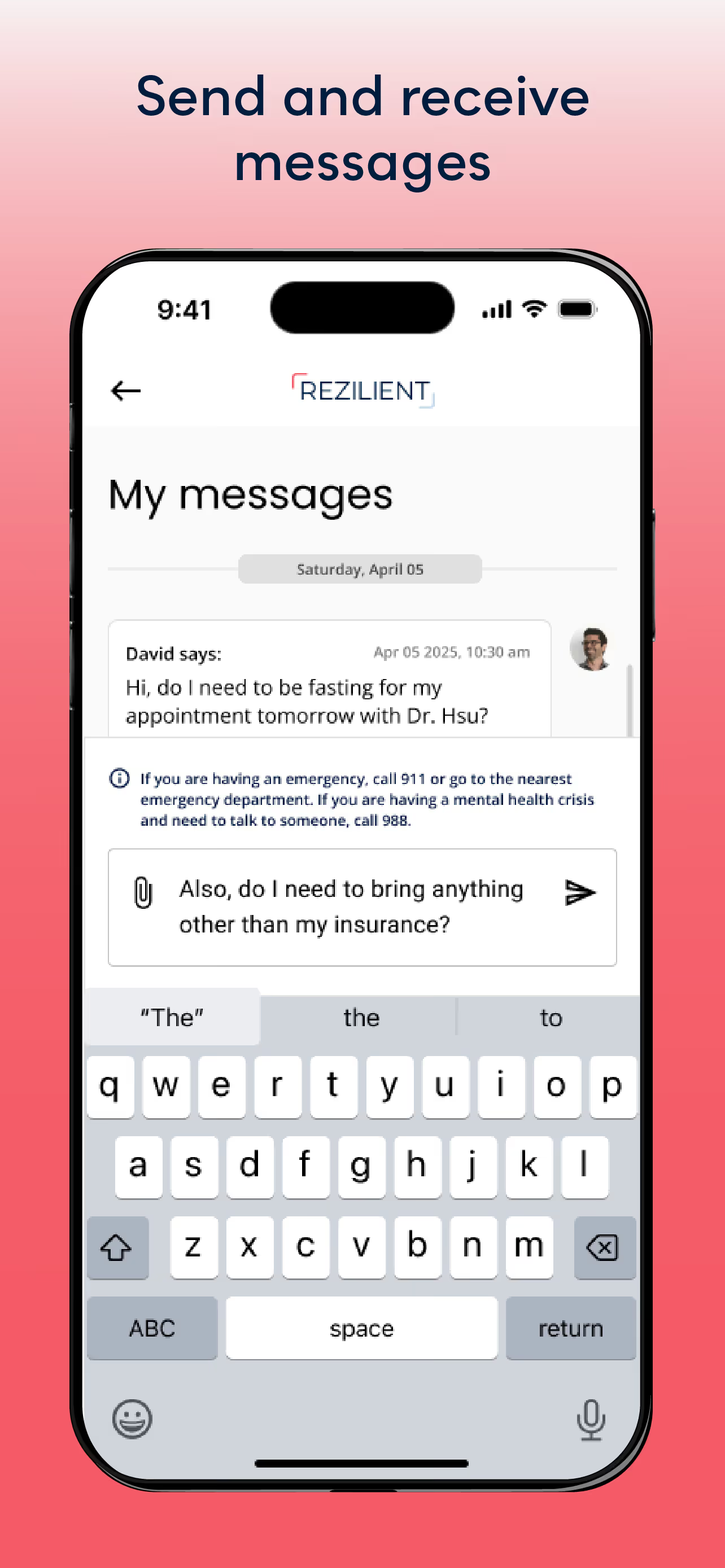
Message your care team
Have a question before or after a visit? You can send and receive messages securely in the app, making it easier to get answers without playing phone tag.
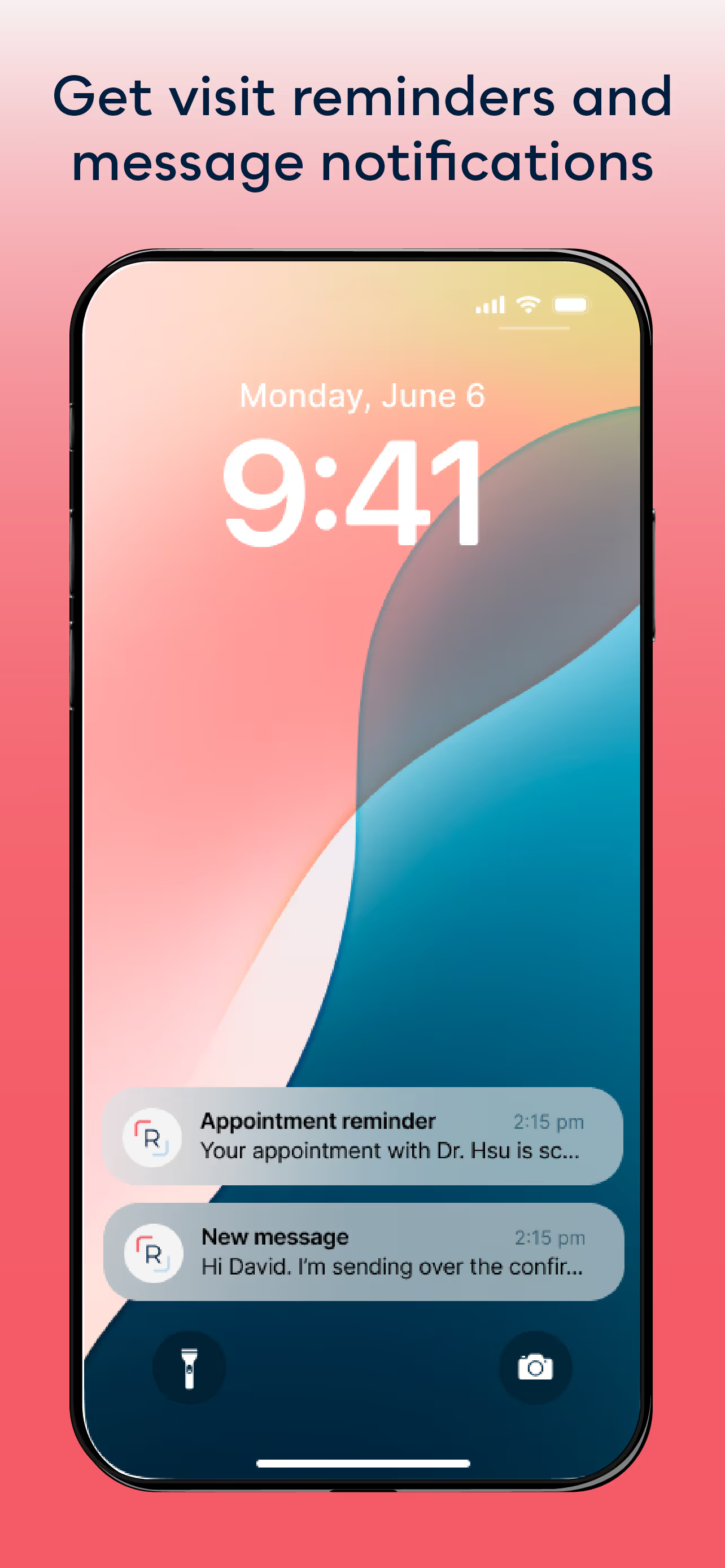
Get visit reminds and notifications
The app sends reminders for upcoming appointments and notifications when you receive a message, helping you stay on track without having to remember everything yourself.
Ready to get started?
If you haven’t activated your Rezilient Health benefit yet, downloading the app is the fastest way to get started. Once you’re in, you’ll have everything you need to manage your care, all in one place.
Download the Rezilient Health app today and take the first step toward simpler care.
The information provided in this blog is intended for educational and informational purposes only and does not constitute medical advice. It should not be used to diagnose or treat any health condition. Always consult with a qualified healthcare provider regarding any questions or concerns about your health or treatment options.
We’re here to help.
Need help understanding your Rezilient benefit, scheduling appointments, or anything else? Our patient support team is here to help.